
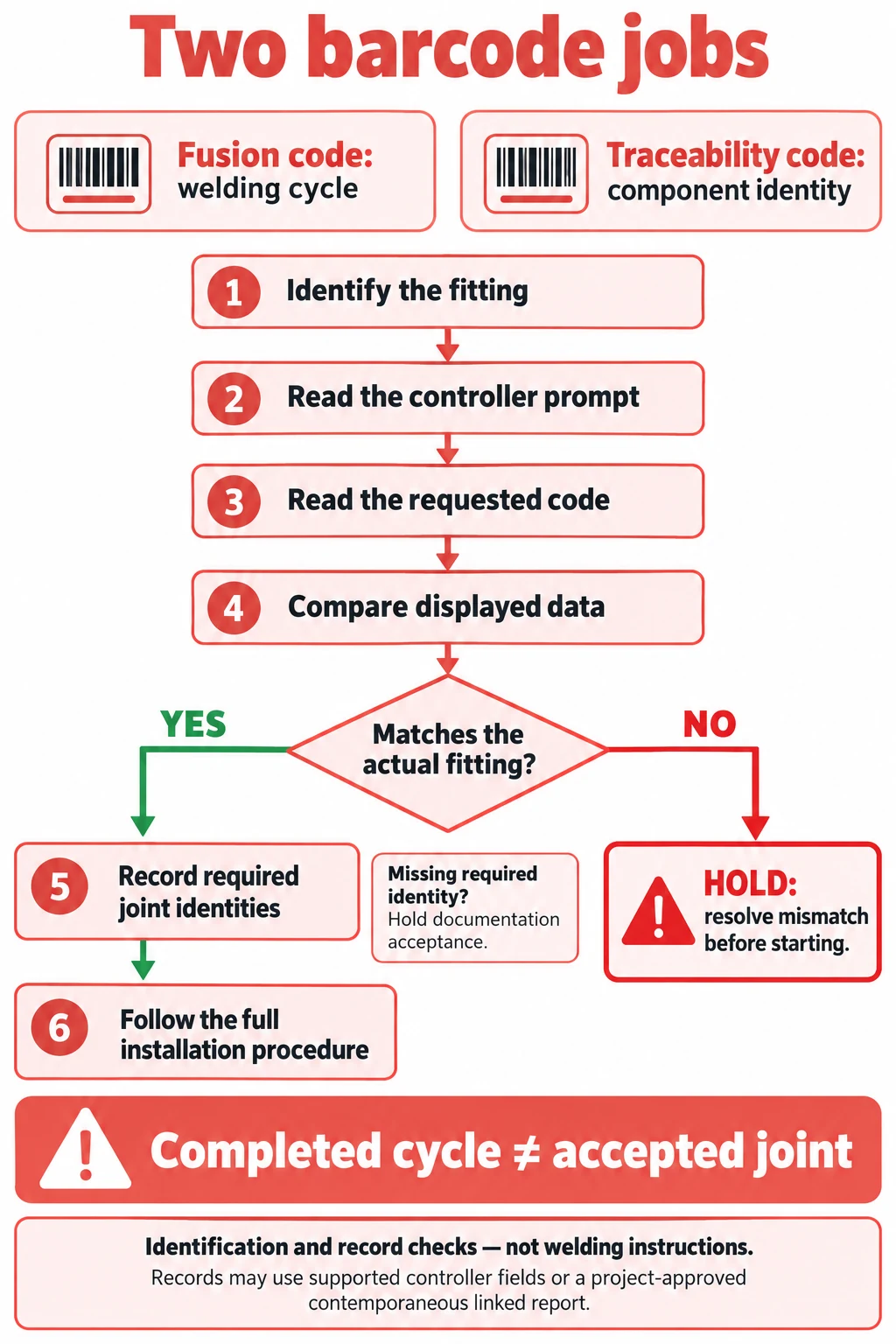
The fusion barcode supplies the welding cycle; the traceability barcode identifies components for the joint record. Read the controller prompt, scan the code belonging to the fitting in front of you, and check the displayed fitting data before starting. A completed cycle is not proof of a sound joint.
Two barcodes on a fitting label do not represent two interchangeable ways to start the same weld. For a site QA lead, they serve different jobs: setting the controller’s cycle and connecting a recorded joint to identifiable components. Keep both jobs visible in the work instruction.
Key Takeaways
- Identify barcode roles from the exact fitting manufacturer’s label guidance.
- Match the scanner input to the controller’s current prompt.
- Compare the displayed fitting and cycle data with the physical fitting’s information.
- A traceability skip option does not override the project’s record requirements.
- Resolve an unreadable label or mismatched summary before starting; do not guess the cycle.
- Preserve preparation, cooling and inspection evidence separately from the electrical-cycle record.
Two codes answer two different questions
The fusion input tells the compatible control unit how to run the fitting’s welding cycle. Traceability input identifies the components associated with that joint. Radius Systems’ fitting-label brochure describes the latter as containing information such as fitting type, diameter, manufacturer, polyethylene compound, material type and production batch. That identity information has a different purpose from the welding parameters.
Label position is only a manufacturer’s example. FRIALEN’s assembly instructions identify the upper barcode on its illustrated sticker as the fusion-parameter code and the lower barcode as traceability data. PLASSON’s manual also illustrates distinct welding and traceability barcodes. Use those diagrams for their named products; do not turn “upper means weld” into a universal rule for every label design.
| Input or observation | Question it answers | What it does not prove | Verdict |
|---|---|---|---|
| Fusion barcode | Which cycle is assigned? | Preparation and joint integrity | Match displayed data to fitting |
| Fitting traceability code | Which component is recorded? | That the weld was completed | Link identity to this joint |
| Completed electrical cycle | Did the programmed cycle finish? | Correct peeling or clean surfaces | Keep installation checks separate |
| Visible fusion indicator | Did an indication develop? | The complete process history | Use controller and inspection records |
Sources: PLASSON ElectroFusion Installation Manual, product-welding-barcode section; Radius Systems Electrofusion Fittings, page 24; FRIALEN assembly instructions, section 6.1.3.1; Lernna’s electrofusion troubleshooting guidance. The table synthesizes the distinct roles; it is not an inspection certificate.
Match the displayed cycle to the fitting before starting
First read the prompt. Advance Welding’s Efuze/iACT operating manual shows a fusion-barcode scan, a fitting-resistance check and then a separate traceability-code prompt. That sequence demonstrates why repeatedly scanning the same symbol is not a substitute for knowing which input the unit is requesting. Another controller may present a different sequence or have traceability enabled through its configuration.
Next compare the summary with the fitting information. PLASSON specifically instructs checking that the weld and cooling times on the controller screen match those on the barcode. FRIALEN likewise says to compare the displayed data with the fusion fitting after the barcode has been read and to begin only if they match. The beep confirms a read; the comparison establishes whether the read is appropriate for the component.
Do not use a generic article’s welding voltage or duration as a substitute for the label and the compatible equipment instructions. Our HDPE fusion-method guide provides wider process context; this page addresses the narrower identification and record check.
- Identify the physical component. Confirm the fitting manufacturer’s label and the component to which it belongs.
- Identify the requested input. Read the controller screen before choosing fusion or traceability data.
- Read the relevant code. Follow that controller and fitting manufacturer’s instructions.
- Compare the summary. Check the fitting information and the cycle data the manufacturer requires you to compare.
- Resolve a mismatch before starting. Check the correct prompt, label, component and equipment compatibility. Do not invent missing parameters.
- Complete the required record. Capture the joint and component information required by the project, then follow the full installation and cooling procedure.
If a code cannot be read, separate a scanner problem from lost component identity. PLASSON’s manual includes checks for the controller being ready to accept welding data, scanner technique and a clean pen tip. Advance’s manual allows numerical input in its stated barcode workflow. Neither observation makes arbitrary manual settings acceptable on every control unit.
Use only an input method authorized for the exact fitting and controller combination. If the physical fitting’s identity or required parameters cannot be established, hold the operation and obtain the manufacturer’s documented resolution. A readable label from another component does not resolve the missing identity of this one.
Build a record that identifies this joint
A machine can offer a traceability skip button while the project still requires the data. Advance’s manual shows an option to move on at its traceability prompt. FRIALEN says its lower traceability barcode needs reading when component traceability is being used. These describe equipment and product workflows; the asset owner’s documentation requirements still determine what the contractor must hand over.
The practical question is whether someone can connect the saved weld record to the physical joint and its components later. A file named “successful weld” without an asset location or joint identifier may be hard to reconcile with the installation. Agree the required fields and record format before the crew begins, then check a real export rather than relying only on what the screen briefly displayed.
| Record element | Useful connection | Verdict / acceptance question |
|---|---|---|
| Joint identifier and location | Record to installed asset | Can this joint be found? |
| Fitting identity and batch | Label to component | Does recorded identity match? |
| Relevant pipe identities | Components to joint | Are required fields retained? |
| Operator identity, when required | Named operator to joint and cycle | Capture and reconcile; hold if missing |
| Controller cycle record | Programmed cycle to event | Is the complete result recoverable? |
| Preparation and cooling checks | Site work to acceptance | Is separate installation evidence available? |
This is a proposed QA handover checklist, not a claim that a particular standard, asset owner or controller requires or stores every listed field. Set the actual fields, units, identifiers and retention rules from the project requirements and supported equipment functions.
When the project requires operator identity, capture the actual operator identifier against the joint identifier and its controller event. Use the controller’s supported operator-identification function if available and configured for the job. If that function is unavailable, use the project-approved contemporaneous joint report: record the operator identifier and joint identifier, and cross-reference the exported cycle by its actual record identifier or other project-approved event reference. Do not assume every controller stores operator identity or invent a field that the export does not contain.
Reconcile the exported event with the joint report before accepting the record. Check that the joint, component identities and operator entry refer to the same event. Where the project also requires a qualification reference, retain that separately: a training or qualification roster alone does not prove who made a particular joint. Agree this recording method with the responsible project QA function before work begins.
For example, suppose the controller saved an electrical cycle but the fitting traceability scan was skipped and the required operator identity was not logged. Hold documentation acceptance. Reconcile any reliably retained component evidence, joint report and event reference through the approved project procedure. If the controller lacks an operator field, a reliable contemporaneous report may provide the project-approved link; a likely shift assignment or retrospective guess does not. If the actual operator cannot be linked to the joint using accepted evidence, leave the operator field unresolved and obtain the responsible project acceptance decision. Do not fabricate a replacement scan, name an operator without evidence, or silently mark the record complete. The record omission alone does not establish joint integrity or automatically require cutting the joint out.
When enquiring about supply, ask for the exact fitting’s label example and the documented controller compatibility, together with the component specification. Submit the specification for an availability check. Include the pipe material and size, fitting type, application, project country, controller model and required traceability fields. No matching IFANPRO fitting or controller compatibility is established by the public examples here.
What a successful scan and completed cycle cannot prove
A code read is an input event. A completed cycle is an electrical-process result. Neither is a direct inspection of the pipe surface beneath the fitting. Lernna’s training guidance explicitly separates successful machine operation from a successful installation: the control unit cannot establish whether the pipe was correctly peeled, contaminated, misaligned or moved during cooling.
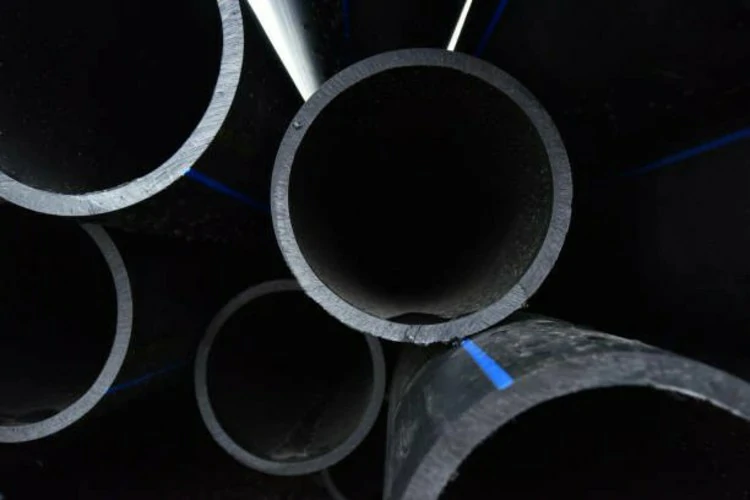
Continue the fitting manufacturer’s complete installation procedure, including its preparation, restraint, cooling and inspection requirements. This guide does not replace operator qualification or authorize re-welding an interrupted fitting. A correctly identified barcode can remove one kind of error while the preparation remains wrong.
Stock condition is also separate from barcode identity. A clear label does not settle whether an older fitting’s storage history permits release. The older-electrofusion-stock guide addresses that release, hold or reject decision.
Conclusion
Use the fusion code for the cycle and the traceability code for component identity, as directed by the actual controller and fitting instructions. Compare the displayed data before starting, then preserve the record required for that joint. Keep identification, electrical completion and installation acceptance as distinct checks.
FAQ
Is the upper barcode always the fusion code?
No universal layout is established here; FRIALEN labels it that way in its illustrated instructions. Identify barcode roles from the exact manufacturer’s label diagram.
Does the traceability skip button mean the data are unnecessary?
It means the controller offers that workflow option; it does not waive the asset owner’s or project’s documentation requirements. Confirm the required record before the work starts.
Can a successful scan prove that the joint is sound?
No: the scan provides data, and the controller monitors its electrical cycle. Correct preparation, restraint, cooling and inspection remain separate installation requirements.
What if the barcode is damaged?
Check the authorized scanner or numerical-input procedure for the exact equipment and fitting. If identity or parameters cannot be established, stop and obtain a documented resolution; do not guess a cycle.
Technical sources: PLASSON ElectroFusion Installation Manual; Advance Welding Efuze/iACT Operating Manual, Rev 2023F, page 14; FRIALEN assembly instructions, section 6.1.3.1; Radius Systems Electrofusion Fittings, page 24; Lernna, Electrofusion Trouble Shooting + Error Codes. Additional traceability context: ISCO, Cracking the Code on Electrofusion, public professional webinar transcript. Public-source guidance; no IFANPRO field trial or product-specific approval is claimed.










 Français
  English
  Русский
  Español
Commentaires récents